Most outages announce themselves. The API returns 500s, the dashboard goes red, someone in Slack asks "is the site down?"
Cron jobs are different. When a nightly backup stops running, nothing breaks right away. No error page, no failed health check, no angry customer. The first sign of trouble is often weeks later, when someone needs the backup that was never written, or finance asks why the invoices stopped going out on the 3rd.
This guide covers why scheduled jobs fail so quietly, how heartbeat monitoring (also called a dead man's switch) catches those failures, and how to set it up for plain crontab, Kubernetes CronJobs, GitHub Actions and Vercel cron.
Why cron jobs fail silently
A cron job can fail in two very different ways:
- It runs and fails. The script throws, exits non-zero, or produces bad output.
- It never runs at all. Nothing executes, so nothing can report an error.
Most monitoring setups only cover the first case, and only partially. The second case is the dangerous one, because the thing that would normally raise the alarm is the thing that is missing.
Common causes of jobs that quietly stop running:
- The host is gone or replaced. A server was rebuilt from an image that did not include the crontab, or an autoscaling group replaced the instance.
- The environment changed. Cron runs with a minimal
PATHand none of your shell profile. A tool moved, a credential rotated, or an environment variable was never set for the cron user. - The scheduler skipped it. Kubernetes did not start the job before its deadline, GitHub delayed or disabled a scheduled workflow, or a platform cron was removed in a config refactor.
- The job hangs. It started, then blocked forever on a lock, a network call with no timeout, or a full disk. It never fails, it just never finishes.
- Errors go nowhere. Output is redirected to
/dev/null, or cron tries to emailMAILTOon a host with no mail server. - Concurrency rules block it. A previous run is still going, and the scheduler is configured to skip overlapping runs.
None of these produce an alert on their own.
Why uptime checks and log alerts miss it
HTTP uptime checks probe a URL from the outside. That works for a web server, but a cron job has no URL to probe. Your API can be perfectly healthy while the job that reconciles payments behind it has not run in nine days.
Log-based alerts fire when a matching line appears, such as ERROR or a stack trace. They cannot fire on a line that never appears. If the job never starts, there is nothing to match.
Exit-code wrappers that send an alert on failure are better, but they still only cover jobs that start and finish. A job that never runs, or hangs, never reaches the wrapper.
What you need is something that notices the absence of a signal.
How heartbeat monitoring works
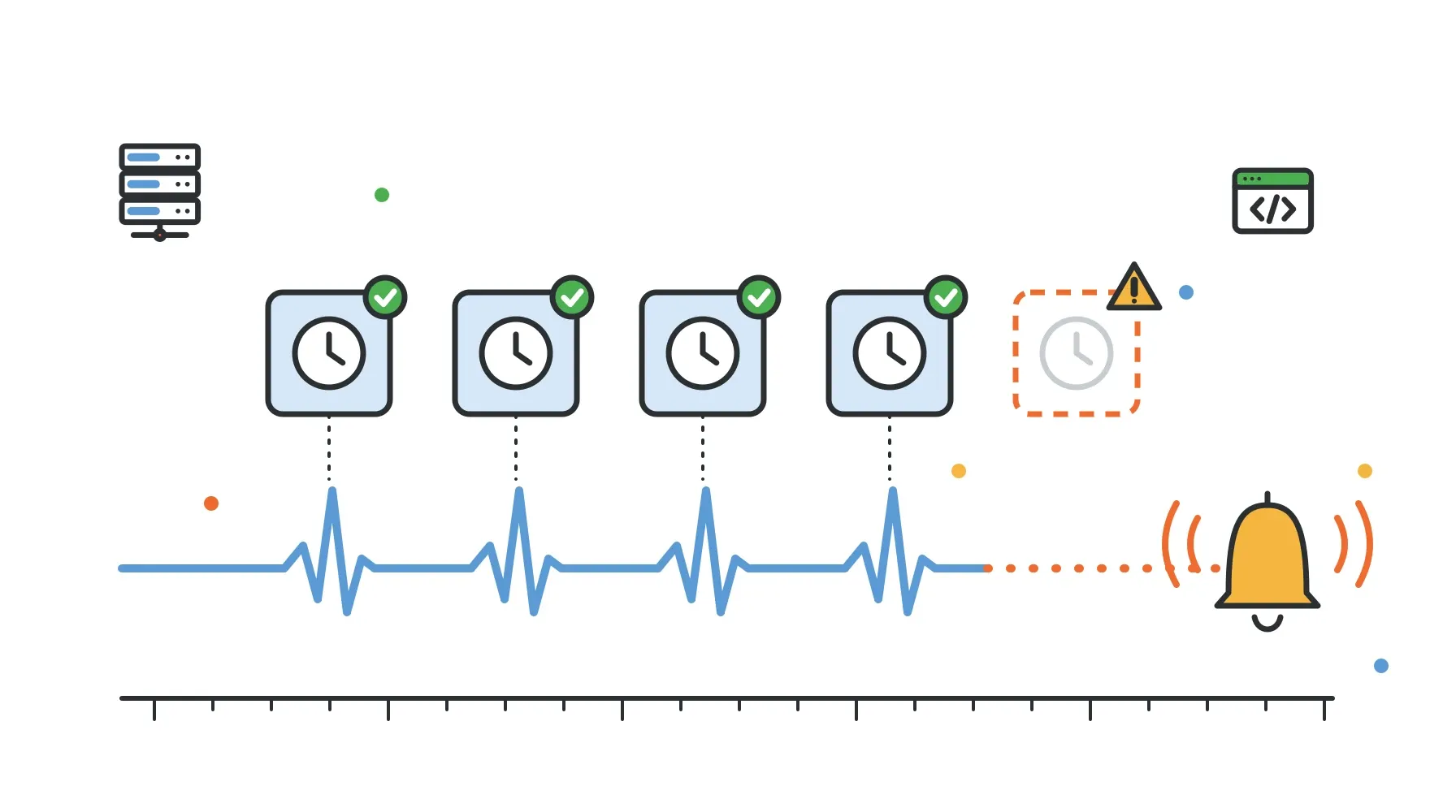
Heartbeat monitoring flips the model around. Instead of the monitor checking on the job, the job checks in with the monitor.
- You create a monitor and tell it how often to expect a check-in (the interval) and how much lateness to tolerate (the grace period).
- Each time the job finishes successfully, it sends a small HTTP request (a ping) to the monitor's unique URL.
- If no ping arrives within interval plus grace, the monitor flips to down and raises an alert.
This is why it is often called a dead man's switch: silence is the trigger. It catches every failure mode in the list above, including the ones where your code never executed, because all of them end in the same symptom: no ping.
A good heartbeat setup also lets the job report an explicit failure. If the job catches an error, it can send a down ping with a reason instead of waiting for the timeout. That way you get alerted immediately, with context, rather than at the end of the grace period.
Choosing the interval and grace period
The interval should match the job's schedule. The grace period is where most of the tuning happens.
Set the grace period too tight and you get false alarms every time the job runs a bit long or the scheduler starts it a minute late. Too loose and you find out about real failures hours after they happen.
A practical starting point:
| Job | Schedule | Interval | Grace period |
|---|---|---|---|
| Queue consumer or worker loop | Continuous | 1 minute | 1 to 2 minutes |
| Cache refresh or sync | Every 5 minutes | 5 minutes | 2 to 5 minutes |
| Report generation | Hourly | 1 hour | 10 to 15 minutes |
| Database backup | Nightly | 24 hours | 1 to 2 hours |
| Invoice run or billing export | Monthly or weekly | Match schedule | Several hours |
Rules of thumb:
- Grace should exceed the job's normal runtime variance. Look at how long the job usually takes and how much that varies, then add margin. A backup that takes 20 to 50 minutes depending on data size needs more than 30 minutes of grace.
- Account for scheduler jitter. Some schedulers start jobs late under load. Hosted schedulers in particular may not guarantee exact start times.
- Be careful with daylight saving time. A job scheduled at 2:30 AM local time may run twice or not at all on DST transition days. Schedule in UTC if you can.
- Start loose, then tighten. After a couple of weeks of real data, shorten the grace period to the smallest value that does not produce false alarms.
Ping on success, at the end
Where you send the ping matters as much as whether you send it.
Ping after the work is done, not before it starts. A ping at the start only proves the job launched. If it then crashes halfway through, the monitor still looks healthy.
Only ping "up" when the job actually succeeded. In shell, that means chaining with && rather than ;:
# Wrong: pings even if the backup failed
/opt/jobs/backup.sh ; ping-monitor

# Right: pings only if the backup exited 0
/opt/jobs/backup.sh && ping-monitor
Use one monitor per job. It is tempting to have a single "cron health" monitor, but then a ping from the hourly job hides a broken nightly one. A monitor per job also makes the alert immediately tell you what broke.
Put timeouts on the job itself. A hung job sends no ping, so the heartbeat will catch it, but adding a timeout (for example timeout 2h /opt/jobs/backup.sh) turns a hang into a clean failure you can report with a reason.
Setting it up
The examples below use Zvono heartbeat monitors, but the patterns apply to any heartbeat service. One limit to know up front: Zvono monitors currently accept intervals from 1 to 60 minutes, with grace periods up to 30 minutes, so the examples use jobs that run at least hourly. For jobs that run daily or weekly, you need a heartbeat service that supports longer intervals. In Zvono, each monitor has a ping URL of the form https://www.zvono.io/api/ping/<ping-url>, and pings are signed with an HMAC-SHA256 signature of the request body using your team's secret so that nobody else can mark your jobs healthy. The ping API reference has the full details.
Plain crontab
Signing a request from shell needs a couple of lines, so put it in a small helper script:
#!/usr/bin/env bash
# /opt/jobs/zvono-ping.sh <ping-url> <up|down> [reason]
set -euo pipefail

if [ -n "${3:-}" ]; then
  BODY=$(printf '{"status":"%s","reason":"%s"}' "$2" "$3")
else
  BODY=$(printf '{"status":"%s"}' "$2")
fi

SIG=$(printf '%s' "$BODY" | openssl dgst -sha256 -hmac "$ZVONO_SECRET" -hex | awk '{print $2}')

curl -fsS -m 10 --retry 3 -X POST "https://www.zvono.io/api/ping/$1" \
  -H "Content-Type: application/json" \
  -H "X-Webhook-Signature: $SIG" \
  -d "$BODY" > /dev/null
Then wire it into your crontab, reporting success or an explicit failure:
ZVONO_SECRET=your-team-secret

0 * * * * timeout 45m /opt/jobs/sync-orders.sh && /opt/jobs/zvono-ping.sh hourly-order-sync up || /opt/jobs/zvono-ping.sh hourly-order-sync down sync-failed
Two details that commonly trip people up:
- Cron does not load your shell profile, so set
ZVONO_SECRET(and anything else the job needs) in the crontab itself or source it from a file inside the script. curl --retryand-m 10keep a brief network blip from turning into a false alarm, and keep a slow network from hanging the job.
Node.js
If the job is already a Node script, use the TypeScript SDK, which handles signing for you:
import { Zvono } from "@zvono/sdk";

const zvono = new Zvono({ secret: process.env.ZVONO_SECRET! });

async function main() {
  const started = Date.now();
  try {
    const processed = await reconcilePayments();
    await zvono.ping("payments-reconcile", {
      status: "up",
      metadata: { processed, durationMs: Date.now() - started },
    });
  } catch (err) {
    await zvono.ping("payments-reconcile", {
      status: "down",
      reason: "reconcile-failed",
      metadata: { error: err instanceof Error ? err.message : String(err) },
    });
    throw err;
  }
}

main();
Sending metadata such as the number of records processed and the duration is optional, but it makes the monitor's history far more useful when you are investigating why a job got slower.
Python
The Python SDK mirrors the same API and has no dependencies outside the standard library:
import os
from zvono import Zvono

zvono = Zvono(secret=os.environ["ZVONO_SECRET"])

try:
    rows = export_daily_report()
    zvono.ping("daily-report", status="up", metadata={"rows": rows})
except Exception as exc:
    zvono.ping("daily-report", status="down", reason="export-failed",
               metadata={"error": str(exc)})
    raise
Kubernetes CronJob
Kubernetes CronJobs have their own ways of not running. If the controller misses a schedule and startingDeadlineSeconds has passed, that run is skipped. With concurrencyPolicy: Forbid, a new run is skipped while the previous one is still active. Neither shows up as a failed pod, because no pod was created.
Add the ping as the last step of the container command so it only fires when the work succeeds:
apiVersion: batch/v1
kind: CronJob
metadata:
  name: hourly-report
spec:
  schedule: "0 * * * *"
  concurrencyPolicy: Forbid
  startingDeadlineSeconds: 600
  jobTemplate:
    spec:
      activeDeadlineSeconds: 2700
      backoffLimit: 2
      template:
        spec:
          restartPolicy: Never
          containers:
            - name: report
              image: your-registry/report:latest
              command: ["/bin/sh", "-c"]
              args:
                - /app/report.sh && /app/zvono-ping.sh hourly-report up
              envFrom:
                - secretRef:
                    name: zvono
activeDeadlineSeconds turns a hung job into a failed one, and the heartbeat covers the cases where the job never started.
GitHub Actions scheduled workflows
Scheduled workflows are convenient, but GitHub documents that they can be delayed during periods of high load, and in public repositories they are automatically disabled after 60 days without repository activity. Both are exactly the kind of silent failure a heartbeat catches.
Add a final step that only runs if everything before it succeeded:
name: hourly-sync
on:
  schedule:
    - cron: "15 * * * *"

jobs:
  sync:
    runs-on: ubuntu-latest
    timeout-minutes: 40
    steps:
      - uses: actions/checkout@v4
      - run: ./scripts/sync.sh
      - name: Heartbeat
        if: success()
        env:
          ZVONO_SECRET: ${{ secrets.ZVONO_SECRET }}
        run: ./scripts/zvono-ping.sh hourly-sync up
Give the monitor a generous grace period here, since start times can drift.
Vercel cron
Vercel cron jobs call one of your routes on a schedule. Vercel does not retry a failed invocation, and depending on your plan the trigger time may not be exact, so the grace period should allow for that. Ping from inside the route handler once the work is done:
import { Zvono } from "@zvono/sdk";

const zvono = new Zvono({ secret: process.env.ZVONO_SECRET! });

export async function GET() {
  await rebuildSearchIndex();
  await zvono.ping("search-index-rebuild", { status: "up" });
  return Response.json({ ok: true });
}
If the route throws before the ping, or Vercel never calls it, the monitor goes down after interval plus grace.
Handling noisy jobs: flapping
Some jobs depend on a flaky upstream and alternate between success and failure for a while. Without suppression, every flip pages someone.
Zvono monitors have flap detection on by default: when a monitor changes state too many times within a window (by default, 5 changes within about 20 ping intervals), the transitions collapse into a single flapping state and a single alert. If a monitor flaps regularly, treat that as a signal that the interval or grace period needs tuning, or that the job needs retries.
Make sure the alert reaches a person
A heartbeat alert is only useful if someone sees it in time. A message in a busy #alerts channel at 2 AM is functionally the same as no alert.
For jobs that matter, route the monitor's alerts to whoever is on call, with escalation if nobody acknowledges. In Zvono, a monitor going down creates an alert that follows your team's escalation policy, starting with Slack and moving to SMS or a phone call if it is not acknowledged. If you are still setting up the rotation itself, see our guide to on-call scheduling across time zones.
It also helps to decide severity per job. A failed nightly backup is urgent but rarely a 2 AM wake-up; a stalled payment worker might be. Our guide to monitoring intervals, thresholds and grace periods goes deeper on balancing sensitivity against false alarms.
Cron monitoring checklist
- Every important scheduled job has its own monitor.
- Interval matches the schedule; grace covers normal runtime variance plus scheduler jitter.
- The success ping is the last step and only runs when the job succeeded.
- Known failures send an explicit
downping with a reason. - Jobs have a timeout so hangs become failures.
- Secrets and environment variables are available to the cron user, not just your shell.
- Schedules are in UTC, or DST behaviour has been checked.
- Alerts route to the on-call person with escalation, not just a channel.
- Grace periods have been reviewed after a couple of weeks of real data.
Frequently asked questions
What is a dead man's switch in monitoring?
A dead man's switch is a monitor that alerts when it stops hearing from something, instead of when it hears an error. The monitored job sends a regular check-in; if a check-in does not arrive in time, the monitor assumes something is wrong. It is the standard way to catch jobs that never run.
What is the difference between heartbeat monitoring and uptime monitoring?
Uptime monitoring actively probes a service from the outside, usually by requesting a URL. Heartbeat monitoring is passive: your job sends a ping, and the monitor alerts on silence. Uptime checks suit websites and APIs. Heartbeats suit cron jobs, background workers and anything without a public endpoint.
Should I ping at the start or the end of a cron job?
At the end, after the work has succeeded. A ping at the start only proves the job launched, so a crash halfway through would go unnoticed.
How do I monitor a cron job that runs every minute?
Use a 1-minute interval with a grace period of a minute or two. Keep the ping lightweight and add a short request timeout so a slow network never delays the job. Zvono's minimum monitor interval is 60 seconds, and each ping URL accepts up to 10 pings per minute.
Can I monitor cron jobs for free?
Zvono's Developer plan is free for planning schedules and PTO, but it does not send alerts. Heartbeat alerting starts on the Basic plan at $16 per month for the whole team, not per user.
Silent failures are the ones that hurt most, because by the time anyone notices, the damage has been accumulating for days. A heartbeat per job, a sensible grace period and an alert that reaches the on-call person closes that gap. If you want to try it, you can create a free account and set up your first monitor in a few minutes.